

Visibility
Visibility rules decide whether the whole card, a section of the card, or a badge should render.
Use them when the UI should react to:
- entity state
- numeric thresholds
- user context
- time windows
- screen size
Visibility layers
| Layer | Fields | Effect |
|---|---|---|
| Whole card | visibility |
hides or shows the entire card |
| Sections | section_visibility.header, section_visibility.body, section_visibility.footer |
hides only that region |
| Badges | badges[].visibility |
hides only the matching badge |
Whole-card visibility
Use visibility when the card itself should appear only in the right conditions.
type: custom:universal-card
title: Vacation Controls
visibility:
  - entity: input_select.house_mode
    operator: ==
    value: vacation
body:
  cards:
    - type: entities
      entities:
        - entity: input_boolean.security_armed
Section visibility
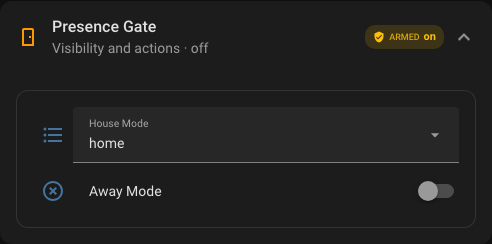
Use section_visibility when the card shell should remain visible but some regions should collapse.
Rendered preview
YAML
type: custom:universal-card
title: Admin Tools
section_visibility:
  footer:
    - user: avm
      operator: ==
      value: true
body:
  cards:
    - type: entities
      entities:
        - entity: sensor.network_health_sensor
footer:
  text: Admin-only footer actions
  actions:
    - icon: mdi:restart
      label: Restart
      action: call-service
      service: homeassistant.restart
Badge visibility
Each badge can decide on its own whether it should render.
badges:
  - type: state
    entity: light.kitchen
    icon: mdi:lightbulb
    visibility:
      - operator: ==
        value: 'on'
Supported comparison operators
==!=><>=<=
Typical scenarios
Use visibility for:
- admin-only controls
- warning cards that appear only in bad states
- badges that show only while active
- footers that appear only for specific users or modes
- mobile-only or desktop-only compositions
Practical guidance
- use
visibilitywhen the whole card should disappear - use
section_visibilitywhen the card identity should stay visible - use badge visibility for compact conditional status chips
- keep conditions readable; one clean rule set is better than many tiny fragments