

Editor
The visual editor is the fastest way to assemble most cards. It is strongest when the configuration is structured and repeatable.
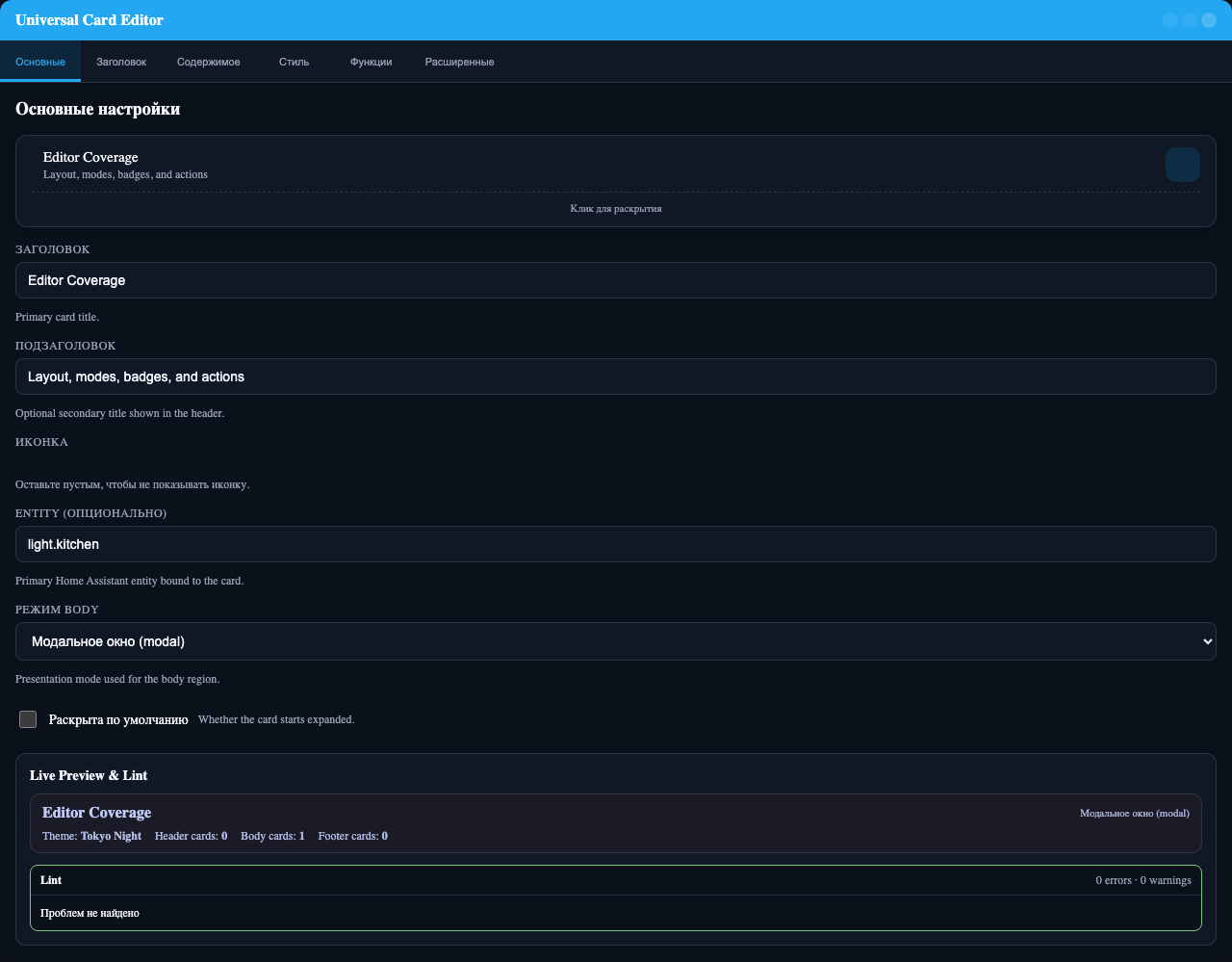
Main sections
The editor is organized into:
BasicHeaderBodyStyleFeaturesAdvanced
Best-covered areas
Basic shell
titlesubtitleiconicon_colorentitythemebody_mode
Header and badges
- header sticky and clickable behavior
header.layout.variantheader.layout.gapheader.layout.content_gapheader.layout.alignheader.layout.badges_position- common badge fields
- badge
icon_only - badge
visibility - badge
color_rules
Body modes
The editor exposes mode-specific settings when they matter:
modal.width,modal.height,modal.max_width,modal.max_height,modal.loading_strategyfullscreen.width,fullscreen.height,fullscreen.max_width,fullscreen.max_height,fullscreen.padding,fullscreen.background,fullscreen.show_close,fullscreen.close_on_escapetabs_config.position,tabs_config.show_icons,tabs_config.show_labels,tabs_config.content_padding,tabs_config.tab_min_width,tabs_config.tab_alignmentcarousel_autoplay,carousel_interval,carousel_options.show_arrows,carousel_options.show_indicators,carousel_options.loop,carousel_options.swipe_threshold,carousel_options.heightsubview.path,subview.navigation_path,subview.replace_state,subview.return_on_close
Features and styling
- root
visibility section_visibilityswipe.*theme_tokensstate_styles
When YAML is better
Use YAML when you want:
- complex
grid.columnsstrings - advanced
custom_css - large action payloads
- badge
tap_action - badge
icon_tap_action - highly custom nested card compositions
Recommended workflow
- Start in
Basic. - Pick the body mode.
- Adjust header layout and badges.
- Add visibility and swipe only if needed.
- Drop to YAML for custom layout strings, advanced actions, or CSS.